Slate for Student Success
The Dock - Student Portal
The Dock is a student portal designed for and by students to collate campus resources, provide direct access to PeopleSoft pages, and deliver need-to-know communications in a timely and relevant manner. The initial version of The Dock went live in August 2026 with limited features and functionality. As features are added, changes will appear automatically in students’ views.
In the initial launch of The Dock, there are five tabs; see below to learn a bit more about what is housed within:
- Home
- Academics
- Campus Resources
- Forms
- Events
Home
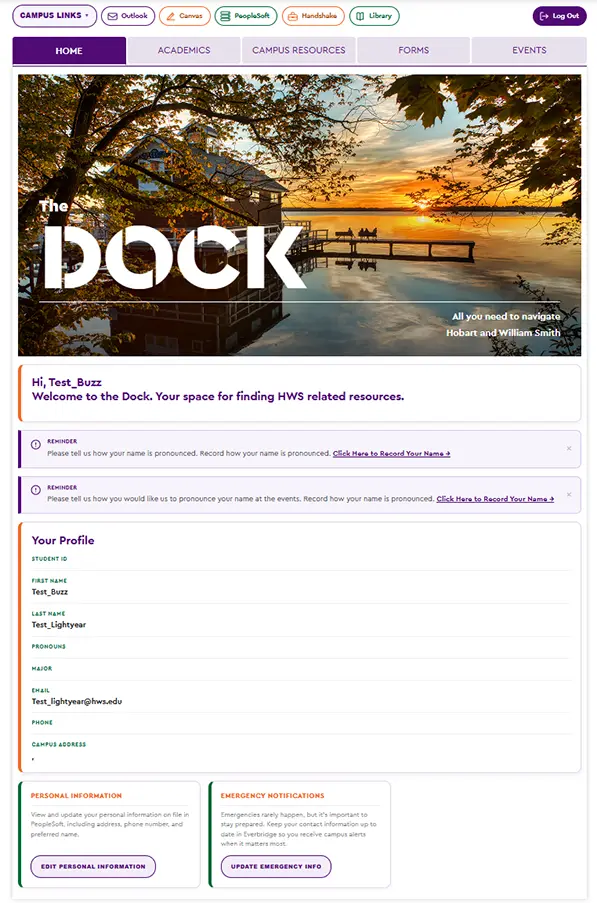
The home tab provides students with basic demographic information to ensure that what’s recorded in PeopleSoft is as accurate and up to date as possible. True single sign-on allows students to transition seamlessly between The Dock and PeopleSoft to make necessary changes. A “banner alerts” feature can provide messages on a need-to-know basis. On the homescreen, there is a quick links drop-down menu with some of the most frequently used links.
Academics
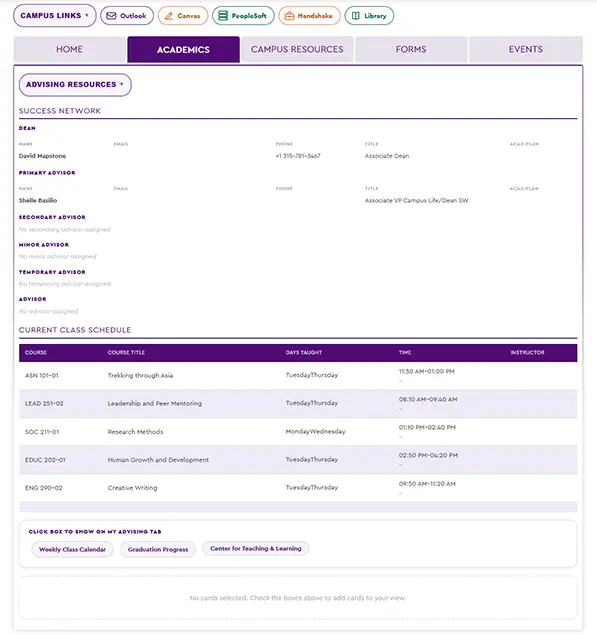
The academics tab links to various advising resources, including educational goals, program requirements, the course catalogue and the faculty directory. Additionally, each student will see their Success Network and current course schedule, making it easy and quick to access this information.
Similar to the homepage, PeopleSoft links direct students to the relevant pages to view academic progress and ensure they are on track for graduation.
Campus Resources
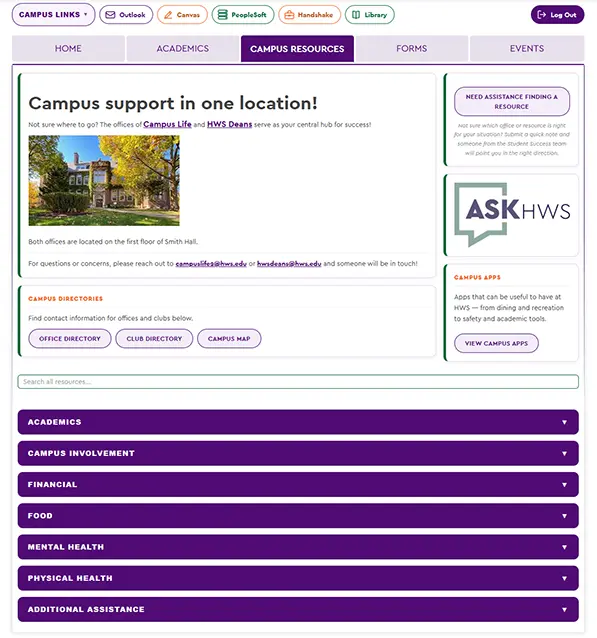
The campus resources tab is unique in that it was designed by the community (students and offices) to provide a resource for finding solutions to a concern a student might be experiencing rather than a specific office that can help.
Additional features on the campus resources tab include:
- HWS Office Directory
- Campus Club Directory
- Campus Apps Library
- Request Assistance Inquiry Form - directed to Campus Life, this discrete request for assistance feature offers a gentle manner for asking for help
Forms
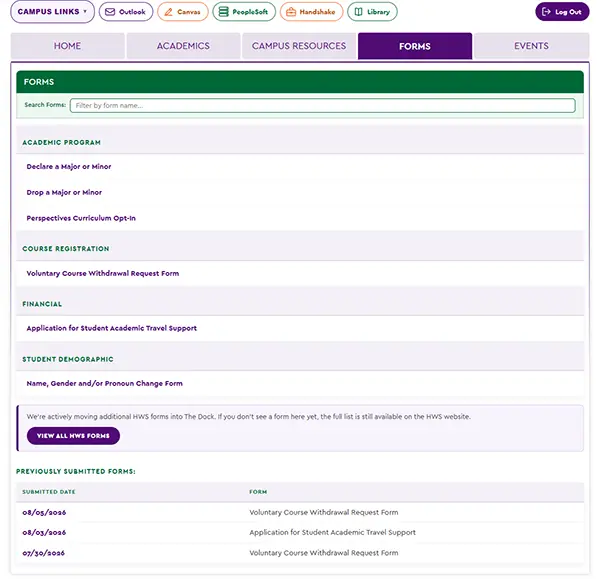
To begin, the five student-facing forms are live on The Dock for students to initiate and complete. Each has an individual workflow that is associated with The Office of the Deans, the Registrar’s Office, or Campus Life. As additional forms are added, their original links will be removed from the forms page and students will be directed to complete them online via The Dock.
- Drop a major/minor
- Voluntary withdrawal
- Perspectives Opt-In
- Academic Conference Travel Assistance
- Name, Gender, Pronoun Change Request
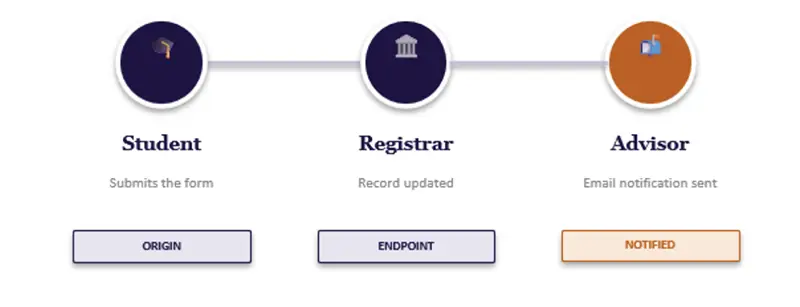
To support transparency in the process and notifications, each form includes a pictorial workflow at the top (as seen below). The office that manages the form is also listed on the top of each form if questions or concerns arise.
Events
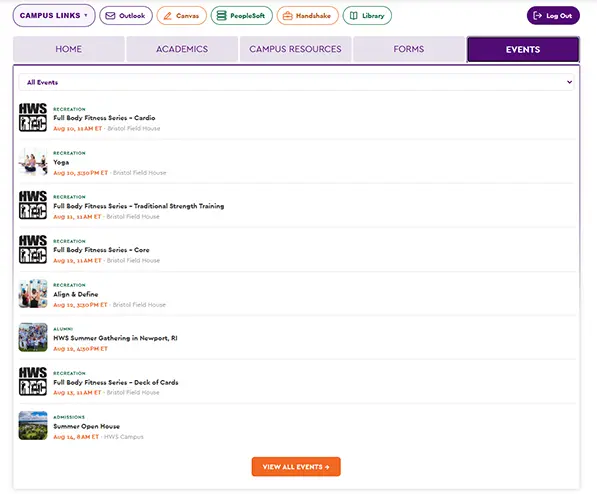
The events tab provides a filterable, searchable RSS feed from our campus and student activities calendars, so folks can always find something to do.